Advanced Filters
Become master of search.
Advanced searching
Most of the tables in Logsteer have Advanced search toolbox. It allows you to make very advanced parametrized or dynamic searches, save them, and reuse or edit when needed.
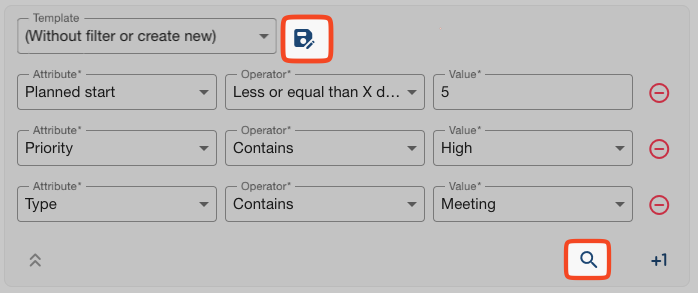
Advanced search toolbox is highlighted below:
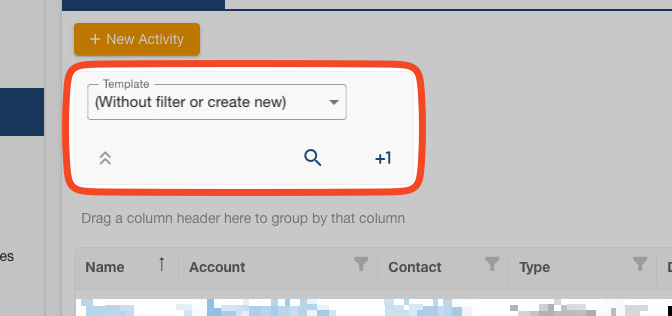
It allows you to:
- Parametrize search. Add-in multiple conditions, add variables and dynamics components to your query.
- Execute search. This kind of search runs against all data in the table, even on very large record-sets.
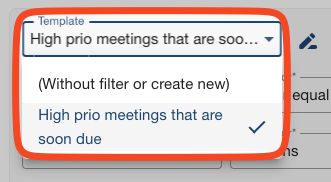
- Create templates. Store and quickly use it when needed or every time when you open specific View.
- Expand or collapse search criteria. Some complex query can take up valuable space. Save as template, collapse, and simply trigger.
Filtering on date fields such as Created, Updated, Due Date, etc. will automatically allow you to use dynamic variable values. Here's what you can insert:
- Equal date. Choose exact date.
- Greater or equal than date. Choose bottom date cut-off.
- Less or equal than date. Choose upper date cut-off.
- Equal X day. Enter positive or negative number of days - it auto-counts and calculates dynamically from today, to past (enter negative values) or future (enter positive values).
- Greater or equal than X days. Choose bottom number of days for cut-off. Same as above, auto-counts and calculates dynamically from today.
- Less or equal than X days. Choose upper number of days for cut-off. Same as above, auto-counts and calculates dynamically from today.
Manage your queries with examples
Here is an example query that will trigger every time you open My Tasks and filter out your meetings that are to be done in next 5 days and have high priority.
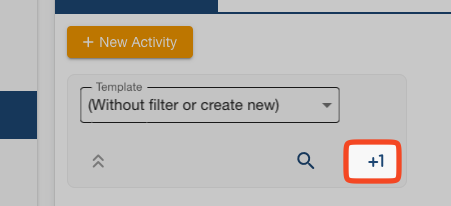
To start building query, press +1 button on Advanced search toolbox within My Tasks View.
Continue adding as many conditions as you need.
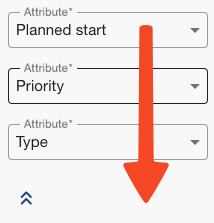
Next step is to either run your built query or save it as template.
If you saved it, it will show under Templates section.